Google Play Store PC
Gives you access to any type of Apk Android App on your Windows PC.

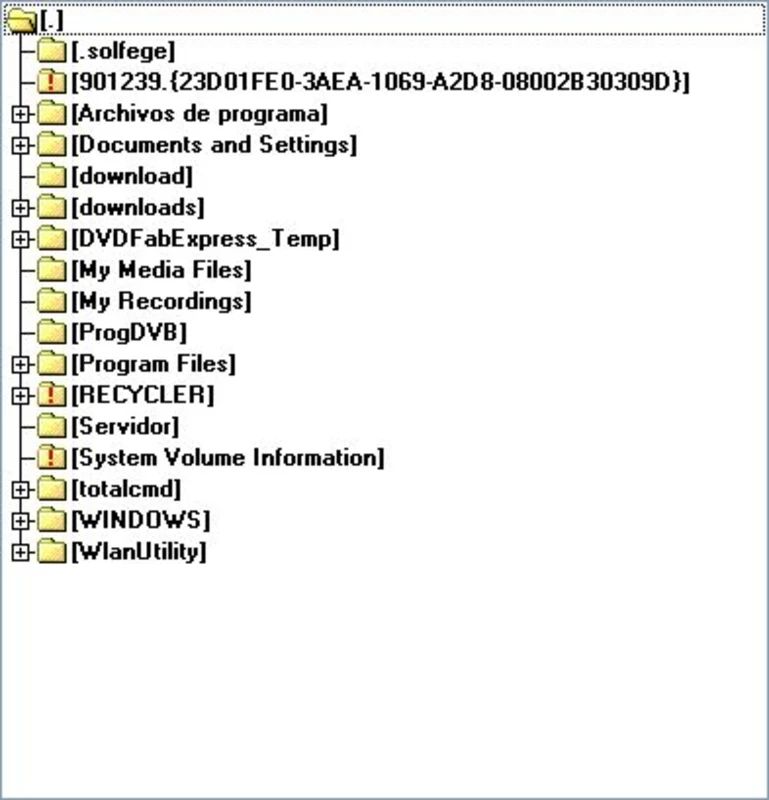
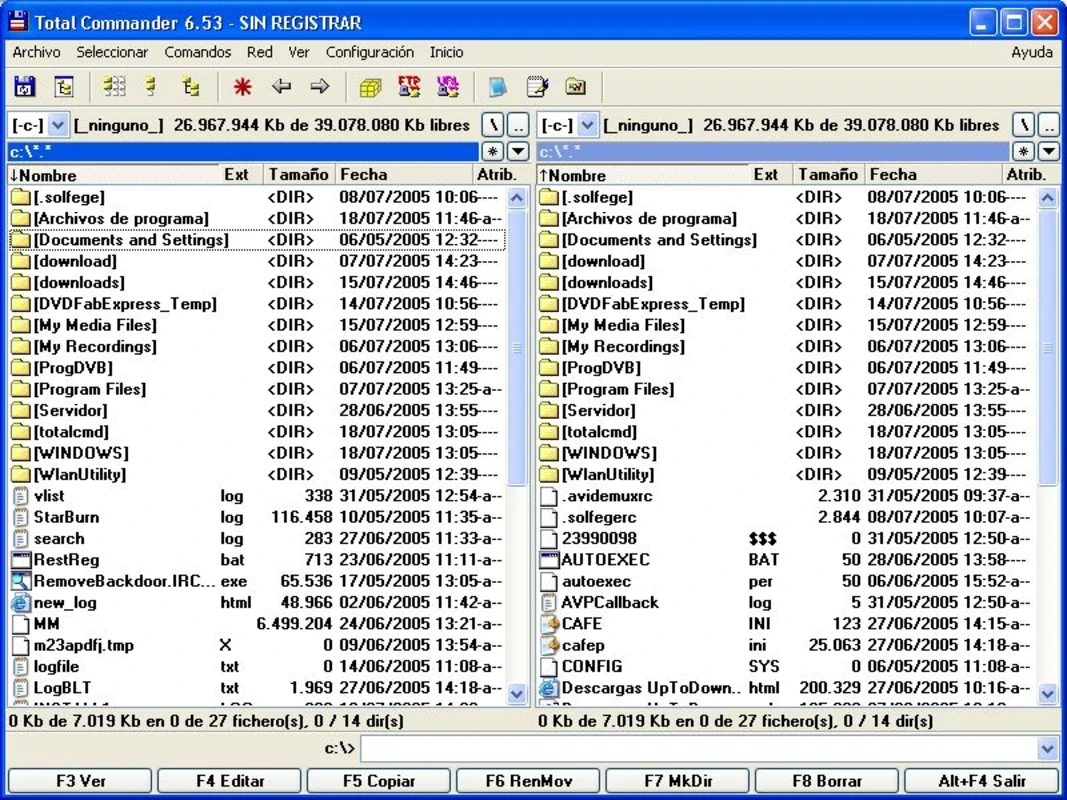
Total Commander is a simple yet powerful file manager for Windows to manage file management tasks more reliably within a side-by-side file window setup. It is a comprehensive tool that offers services in both offline and online settings, making it easy to navigate through directories.
It is the best choice for personal use, IT professionals, and power users as well. The robust file management tool offers enhanced file tasks, as compared to Windows Explorer, and helps you to transfer files and folders, organize them, rename them, and also delete folders.
Total Commander is comprehensive file management software developed by Christian Ghisler, and was released in 1993 with the name Windows Commander. and was changed to Total Commander in 2002. It proves the best alternative to Windows File Explorer with a plethora of innovative features, including FTP client integration, batch renaming, archive handling, file comparison, and so on.
The dual-pane interface helps to manage your files and folders more efficiently. It is available for shareware and freeware as well, so you can use it according to your requirements.
The user-friendly interface offers a dual-pane design to manage your files while easily navigating through files and directories. There are two folder panels available beside each other for moving and comparing files without any additional support. The streamlined workflow within basic visual design while focusing on priority tasks. You will also find multiple built-in tools as part of the interface. It offers a toolbar at the top of the screen to frequently access your required functions, and also use the command-line option, if you feel satisfied with it.
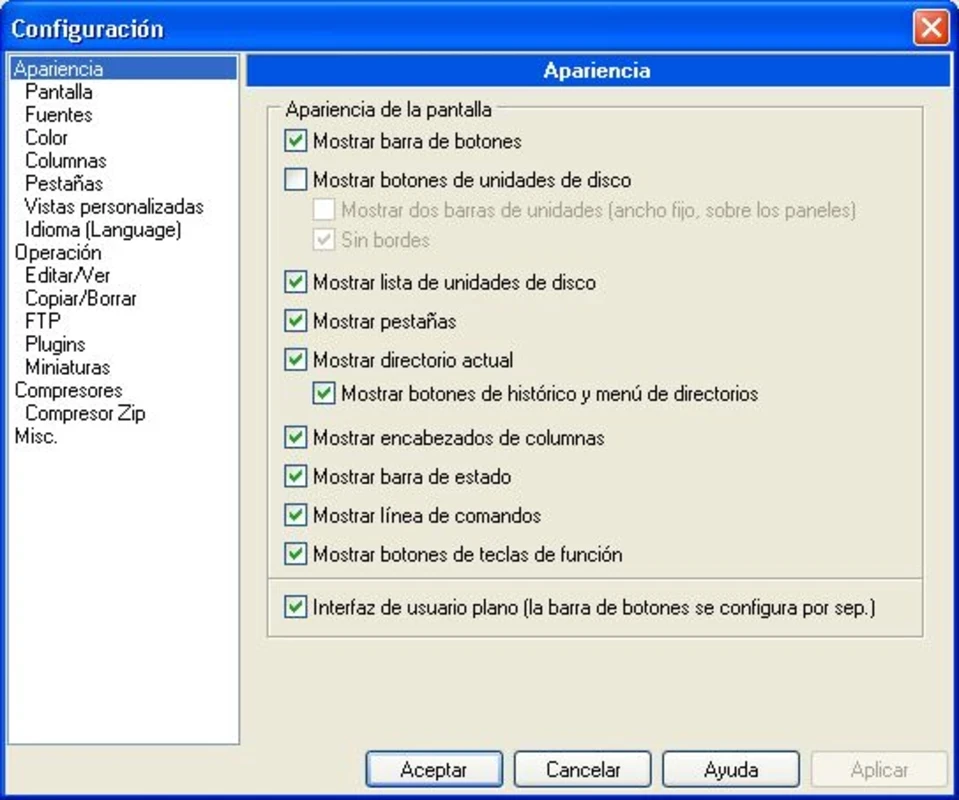
After installing and launching the app, move to initial configuration, including interface layout, keyboard shortcuts, etc. If you are interested, install additional plugins to enhance the functionality. Navigate to directories through the arrow keys or mouse. You also use keyboard shortcuts to perform different functions, such as F5 (Copy), F6 (Move), F8 (Delete), and so on. Integration with FTP settings helps to connect to remote servers and reliably manage your files, such as opening, compressing, comparing, and renaming as well.
It is one of the key features, as it allows you to view your files within Zip or RAR format, and also enables you to view and download files right from the server, but this is possible only through Internet access. You can use your browser for viewing and reading your files on your computer. It also offers a quick preview for previewing files before you save them to the disk, or display them in a Web page, and also previews the entire directory tree while moving between directories using within drag-and-drop feature.
Finding files from directories is quite easy with the app, as it offers an advanced search function in the Commands menu. It not only helps to search within specific directories, but also specifies your required text as well. In addition, the file comparison feature is available along with a built-in editor to make changes, and also display basic system information to manage your system more reliably.
The program offers support for FTP, FTPS, and SFTP to remotely connect with a Windows Server. So, the app offers highly efficient file management and saves your time and energy as well. The FTP client also supports a built-in printer to manage your PDFs, such as printing, signed PDF, or non-signed PDF files. In addition, you also get offline as well as online backup, grouping of computers through automatic scheduling, a scheduler, email notification, Windows firewall protection, and Windows updates.
It is one of the best options to manage multiple files simultaneously with the support of powerful tools. It also offers renaming of files based on patterns, numbering, text replacement, and so on. You can also personalize your layout, keyboard shortcuts, toolbars, and menus.
The software offers a foolproof, secure environment to make your file management process safe. The availability of password protection allows you to manage your sensitive and personal information reliably, and the encrypted transfer makes you relax while transferring your sensitive files.
With very compatibility with all types of devices, the app has special compatibility with Windows 10, Windows 11, and Windows 7 are mainly the operating systems to run the app very smoothly and reliably. In addition, it requires a 32-bit and 64-bit setup.
On completing the installation process, open the program, and it will ask you about the use of the icon library. You need to configure the app before starting to work on it. Here are some main parts that need to be configured;
Pros
Cons

Gives you access to any type of Apk Android App on your Windows PC.

PC App Store download, install, and keeps up-to-date your PC programs

free emulator to play Android apps on your pc with extra performance, reliability

Bijoy Bayanno the most powerful software to write Bengali language on PC
Media Creation Tool is upgrading and installing Windows 10 bootable installed disks.

Rufus easily change your USB Flash to a bootable ISO flash drives.